TheReach.ai + iGMS: AI Guest Communication for Multi-Channel Property Managers
Connect TheReach.ai to iGMS for unified calendar sync, live availability queries, and direct booking creation from any Sami conversation — across WhatsApp, web chat, and voice.

Turn replies into bookings
Use instant guest messaging and AI-assisted tools to protect occupancy and revenue.
Get startediGMS handles your multi-platform calendar and automated messaging within OTAs. TheReach.ai handles the communication that falls outside OTAs — direct WhatsApp enquiries, phone calls, website chat — and connects back to iGMS for availability data and booking creation.
The integration gives Sami unified calendar visibility across your iGMS account. When a guest asks about a date, Sami sees the same picture you do in iGMS — across all channels, all properties.
What iGMS + TheReach connects
iGMS provides:
- Unified calendar across Airbnb, Booking.com, Vrbo, and direct
- Automated messaging templates within OTA inboxes
- Team management and task automation
TheReach adds:
- WhatsApp, web chat, and voice handled 24/7 by Sami
- Live availability queries that read your iGMS unified calendar
- Direct booking creation in iGMS from any Sami conversation
- Guest support outside OTA inboxes (the channel iGMS automated messages don't reach)
- Google Review management across all your properties
Unified calendar sync
One of the most common problems for iGMS users is availability confusion on direct channels: a guest asks on WhatsApp if certain dates are free, but the calendar shown doesn't reflect a pending Airbnb hold or a block from Booking.com.
Because Sami reads your iGMS unified calendar, it sees the same consolidated availability you see — including blocks from all connected OTAs. No overbooking risk from direct enquiries.
Booking flow
Guest enquires about dates on WhatsApp or your website chat.
Sami checks your iGMS unified calendar for those dates — all OTA blocks included.
Sami quotes the rate and asks if the guest wants to confirm.
Sami creates the reservation in iGMS. iGMS sends the payment request. Calendar updates immediately across all channels.
In-stay guest support
iGMS automates pre-arrival and post-checkout messages within OTA inboxes. But the most time-consuming guest interactions happen outside OTA inboxes — on WhatsApp, by phone, or via your website chat — and they happen at all hours.
Sami handles these using a per-property knowledge base: check-in codes, parking, WiFi, appliance guides, local emergency numbers. Urgent situations — locked out, safety issue, genuine distress — escalate to your phone immediately with the full conversation context.
Setup: generate a token, paste it, done
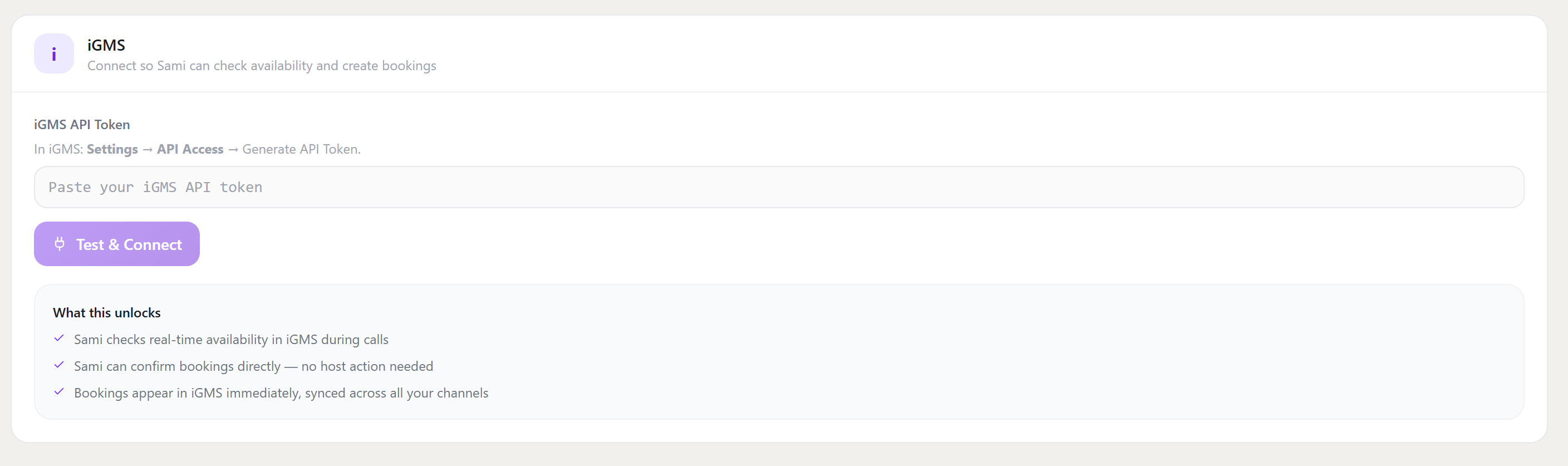
iGMS uses an API token — you generate it in iGMS in about 10 seconds, then paste it into TheReach. No configuration beyond that.
-
Generate your iGMS API Token.
In iGMS, go to Settings → API Access and click Generate API Token. Copy the token it creates. -
Paste it into TheReach.
In your TheReach dashboard, go to Settings → Integrations → iGMS. Paste your token into the input field and click Test & Connect. -
Done.
TheReach verifies the connection. Sami immediately starts reading your iGMS unified calendar — including any blocks from Airbnb, Booking.com, or Vrbo — for all incoming availability queries.
What happens after you connect: Sami reads your iGMS unified calendar — OTA blocks included — so availability quotes are always accurate. Confirmed bookings appear in iGMS immediately and your calendar updates across all connected channels.
Connect iGMS to TheReach
Log in to TheReach, go to Settings → Integrations → iGMS, and enter your API key. Setup takes under 5 minutes.
See all integrations →Want this workflow live this week?
Connect TheReach and start responding to inquiries and reviews in minutes.
Create accountFrequently Asked Questions
Yes. You can start with draft mode and switch to auto-reply once tone and quality are approved.
Ready to automate guest replies?
Launch in minutes and keep every review answered.
Start free